Yuzu Health: interview invite
A cold email to Yuzu Health about a frontend-leaning role turned into a booking link and a scheduled interview.
For developers, SDRs, and marketers.
Portal applications sit in a pile nobody reads, sorted by filters you'll never see. GetInterviews goes around that: you build or import a list of the people who actually make hiring decisions, and it writes email that references who they are instead of blasting the same paragraph at everyone.
Follow-ups run off what people do, so you're not chasing someone who already replied.
A booking link from Yuzu Health, a Calendly invite from FetLife's People Ops, a CTO who wanted to talk, a MongoDB employee offering a referral. Each one started as a single email to someone who had never heard of the sender. Click any card for the full thread.
A cold email to Yuzu Health about a frontend-leaning role turned into a booking link and a scheduled interview.
People Operations replied to a Senior DevOps outreach email with a Calendly link for a 30-minute interview.
The CTO and co-founder replied directly to schedule an intro call for a founding engineer role.
The founder replied offering a 15-minute interview with same-day availability.
A MongoDB employee replied to cold outreach offering a referral and an intro to a recruiter or hiring manager.
Submitting through a portal means competing with everyone else who found the same posting, screened by rules you never get to see. Emailing directly puts your name in front of the person who decides, on a day when they're already thinking about the role.
You pick who gets contacted and what the email says. The tool handles the sending and the chasing.
All of it logged, so a week later you can still see what went to whom.
The MCP tools expose the workflow to Claude, Claude Code, or any CLI model that speaks MCP. Drafting, sending, checking for replies, queueing the next follow-up: it all runs in one session, and you can stop it mid-loop.
It checks your setup before anything goes out, and every action it takes is something you can go read afterward.
Say what you want changed and it revises every draft in the set. Useful when you get partway through and realize your opening line isn't landing.
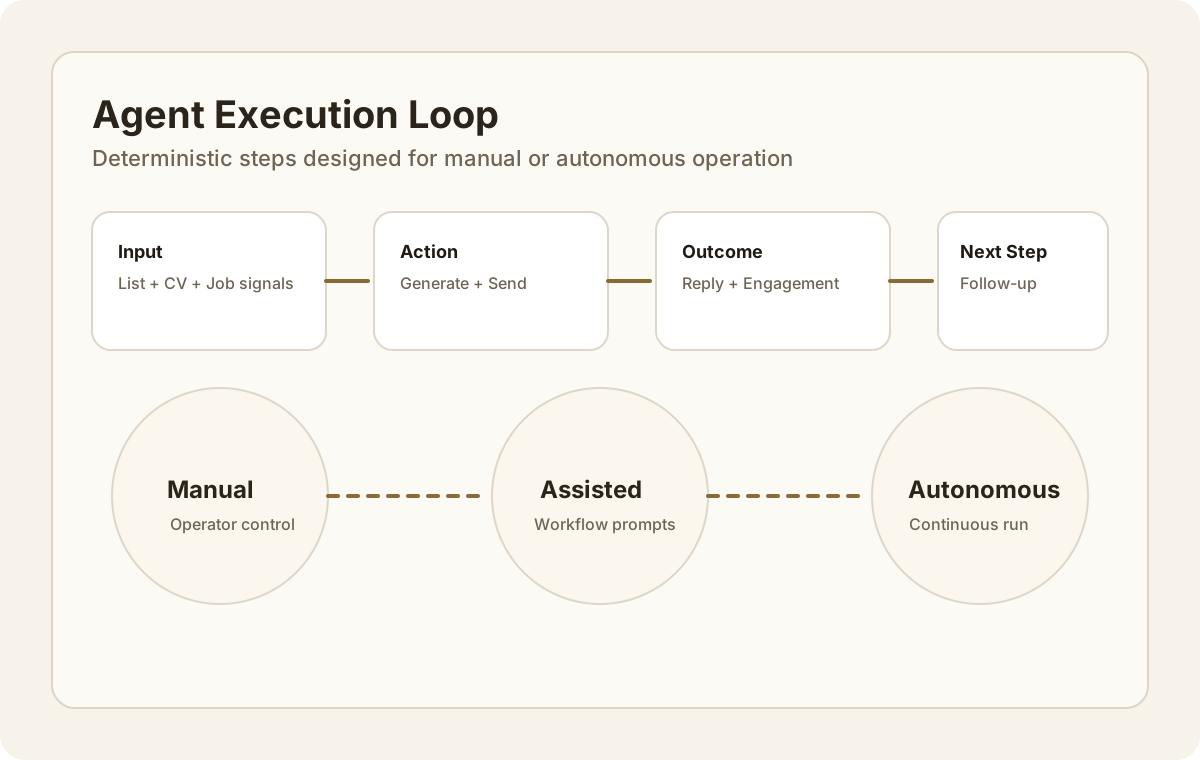
A fresh arXiv preprint, a hackathon win, olympiad results: drop it into a sequence that's already running instead of opening every draft one at a time.
It's a native Mac app; grab the build that matches your chip.
Not sure which chip you have? Apple menu → About This Mac, and it's the first line.
Both screenshots below come off live AWS infrastructure while real email was going out.
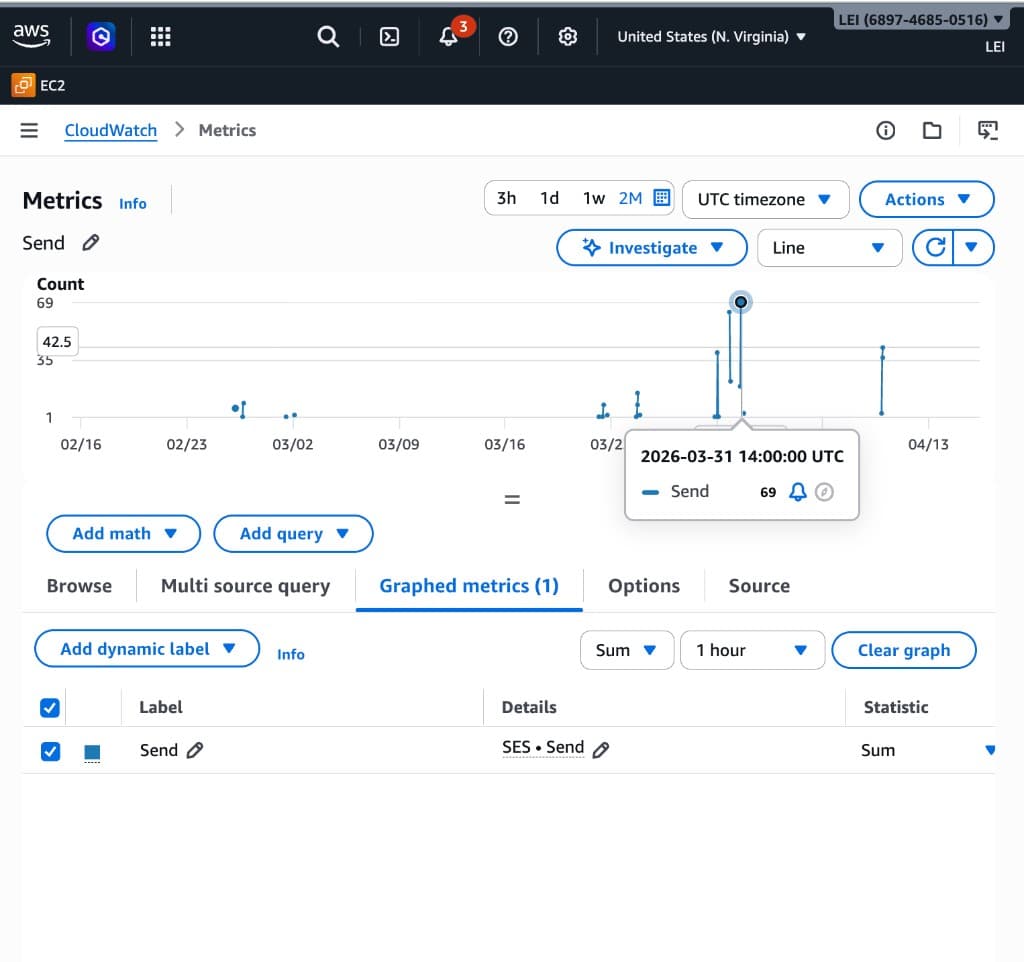
Send volume shows up in AWS metrics, which is about as hard to fake as it gets.
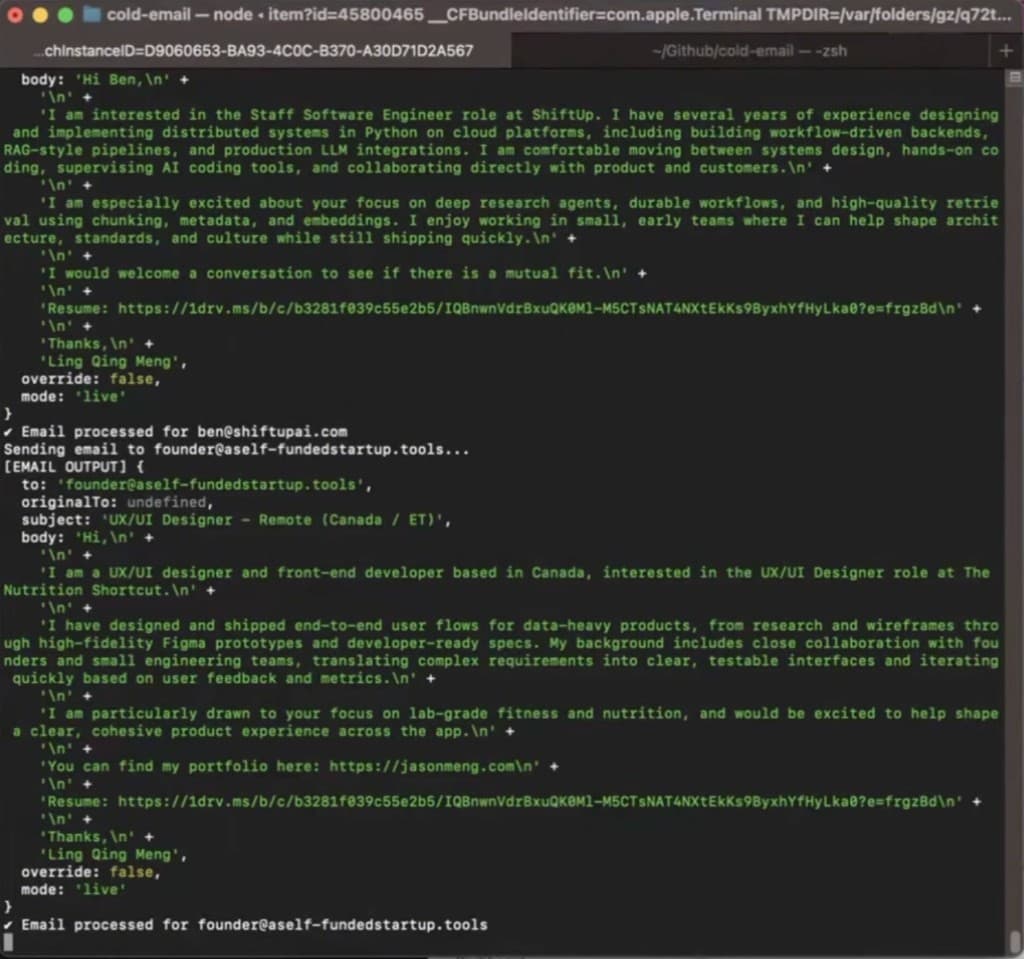
You watch each recipient get drafted, sent, and logged, one line at a time.
Every workflow has the same shape: who you're targeting and what you know about them, what gets sent, and what came back.
Nothing happens off-screen, and anything you did once you can do again.
Most outreach tools fire the same sequence at everyone on the same schedule no matter what happens. This one changes the angle, waits longer, or stops.
A short list you actually researched will beat a big one you scraped, and the sending pace is deliberately slow enough to keep it that way.
20 sends, no card.
You bring AWS SES keys and send from your own account.
We handle delivery. No AWS account, no DNS records to babysit.
Replies from people who can hire you, and calendar invites. That's the whole scoreboard.
Start by hand today. Accounts, inbox and thread management, your own sending domain, and a fully scriptable version are what's next.